REPUTATION TAB
JOBVIZER CRM VIDEO TUTORIAL
This SOP outlines how to configure Reputation Management, automate review requests, customize the review widget, and monitor performance. It is designed to help team members consistently collect reviews, manage responses, and report results to clients or internal stakeholders.
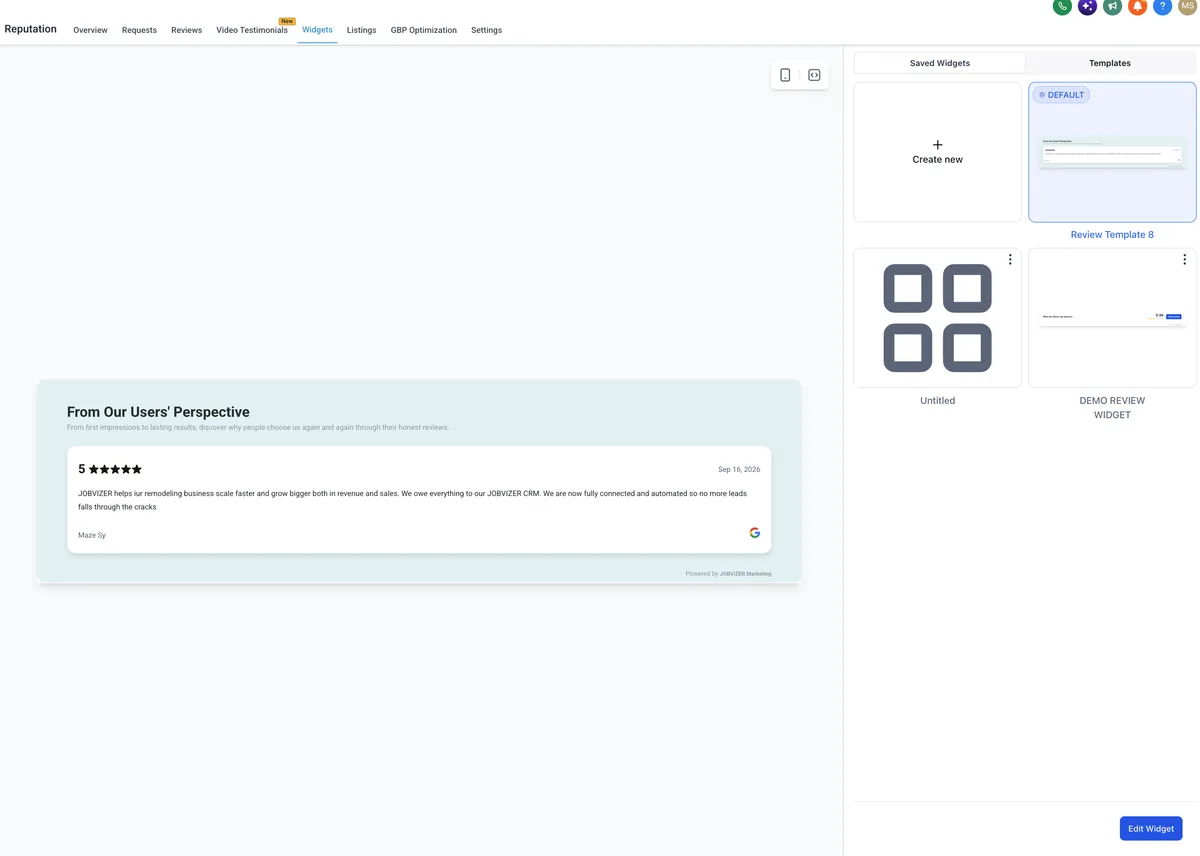
Edit the widget settings as needed.
Set the following options:
Review source
Widget type
Maximum number of reviews displayed
Minimum rating threshold
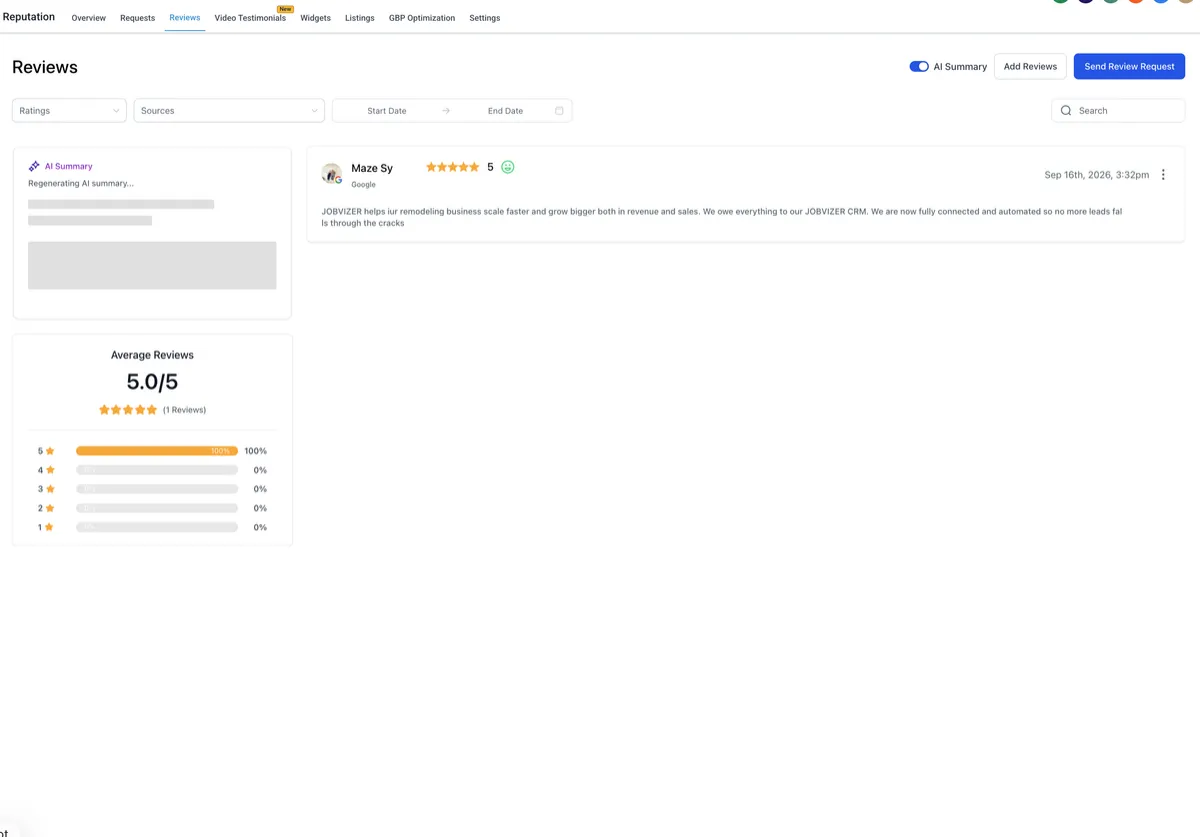
If desired, configure the widget to display only 5-star reviews.
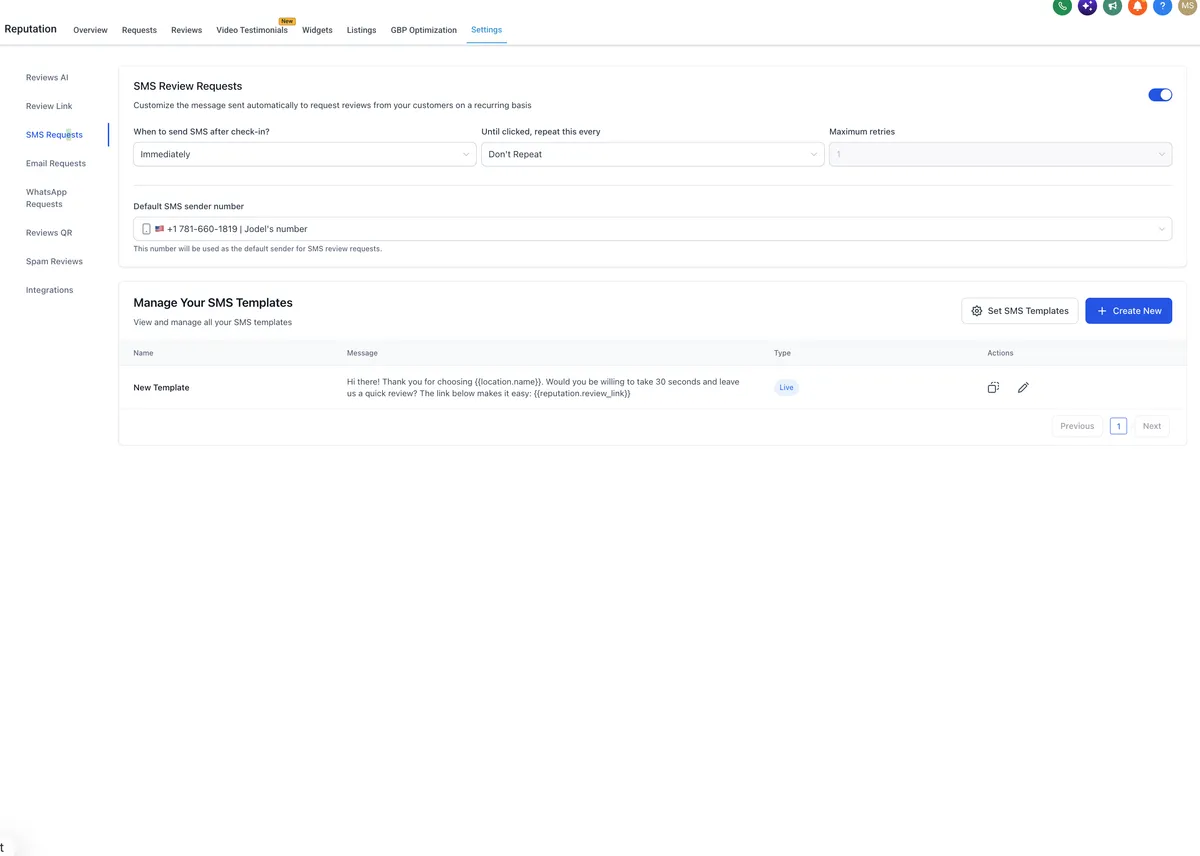
Turn on the channels you want to use for sending review requests.
Available options may include:
SMS
QR code
Select only the channels your team actively supports and monitors.

JOBVIZER MARKETING SUPPORT PORTAL© 2026ALL RIGHTS RESERVED