AUDIT LOGS
JOBVIZER CRM VIDEO TUTORIAL
What Audit Logs Do
Audit Logs are the account's source of truth for who did what and when. Every meaningful action, creating, updating, or deleting something, is captured with a timestamp, the user who performed it, which module it happened in, and what specifically changed. This exists for three practical reasons: troubleshooting unexpected changes, holding team members accountable, and meeting compliance requirements in regulated industries.
If something breaks and nobody remembers changing it, Audit Logs are almost always the fastest way to find out what actually happened.
Where to Find It
Go to Settings → Audit Logs.
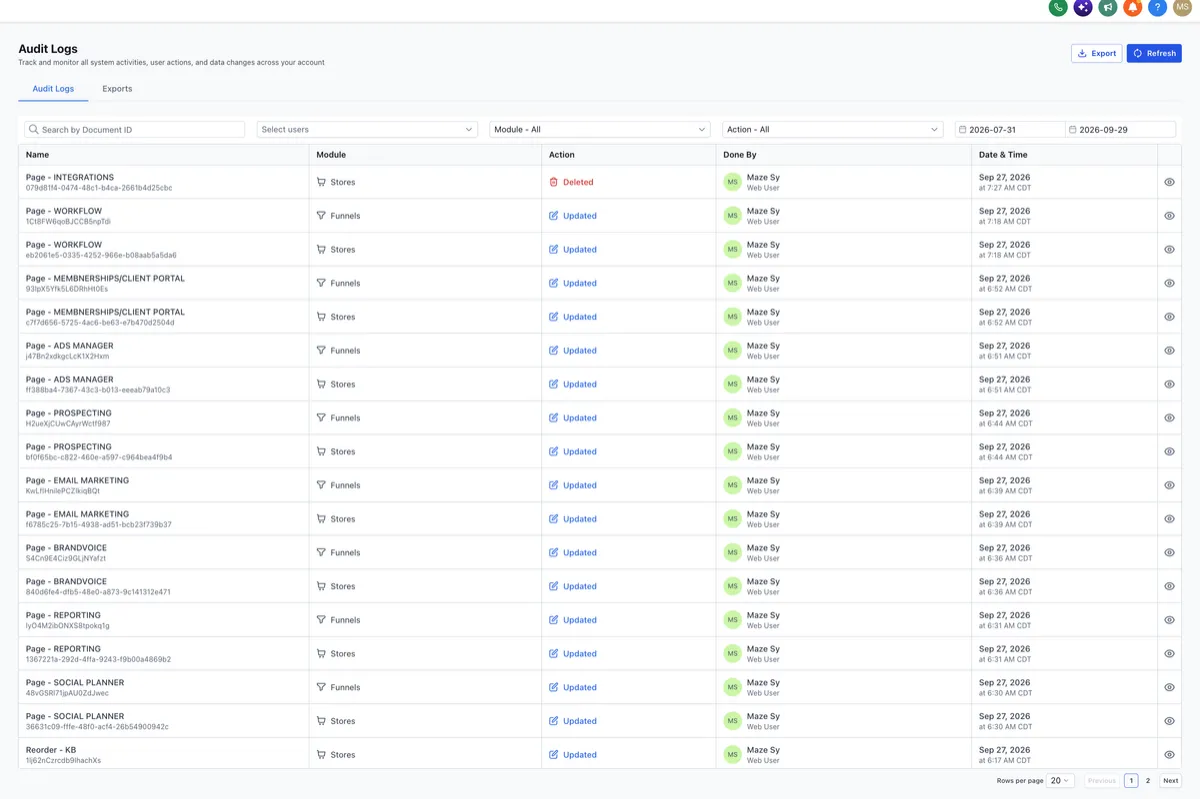
The log table shows a running record of activity across the account, with details opening in a right-side drawer rather than a separate page, so the table position is never lost while reviewing an entry.
Access restriction: Only admins (and, where applicable, super admins) can view Audit Logs. This is intentional, since the log itself often contains sensitive information about who changed what.
Filtering and Reviewing Logs
Logs can be filtered by:
Date range
Module (Contacts, Workflows, Calendars, Funnels, Websites, Custom Objects, Conversations, etc.)
User
Request/action type (Create, Update, Delete, Read)
Each entry, when opened, shows:
Action summary
The user who performed the action
Module name
Action type
A description of what changed
The timestamp
The URL/location where it occurred
Practical tip:
When investigating a specific problem ("this workflow stopped working" or "this calendar's hours changed"), filter by module and date range first, narrowing by user only after confirming roughly when the change happened. This is faster than scrolling a mixed, unfiltered feed.
Keyboard navigation: Once inside the detail drawer, arrow keys move between entries without needing to close and reopen each one, useful when reviewing a cluster of related changes in sequence.
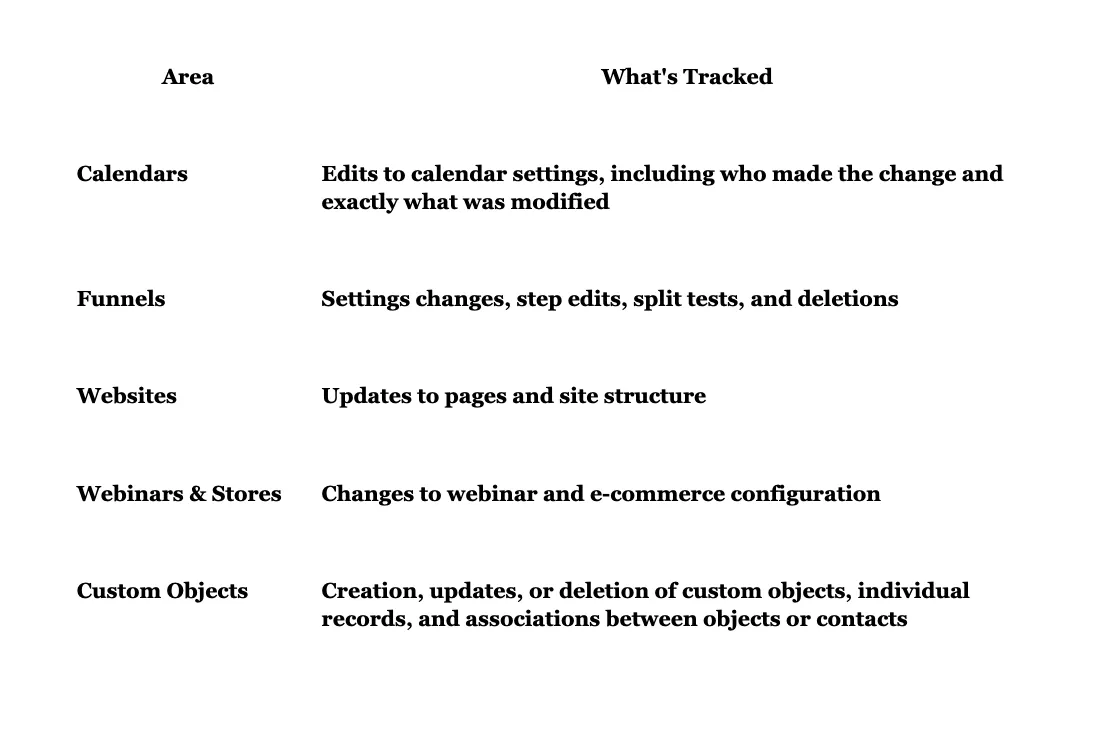
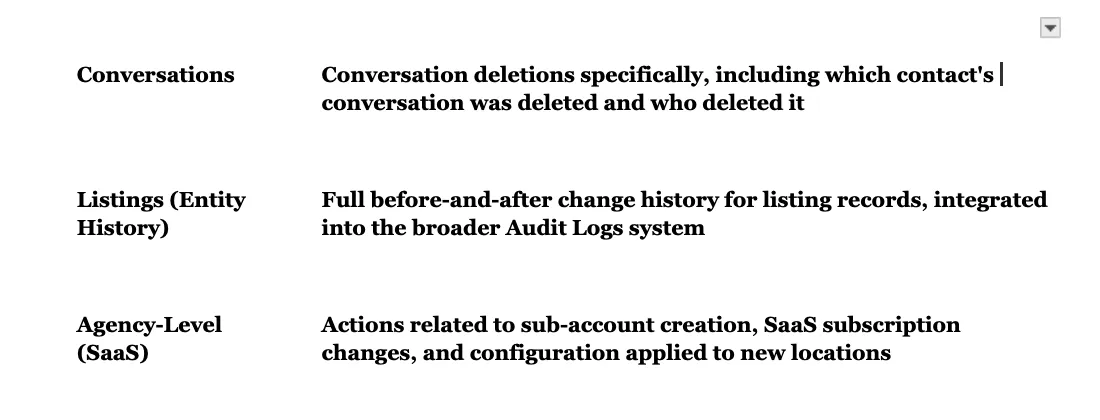
Coverage by Area
Audit logging isn't a single unified feed, several areas maintain their own dedicated logs with module-specific filters:
Common Use Cases
"Why did this stop working?"
A workflow, calendar, or funnel that was behaving correctly suddenly isn't. Check the relevant module's log for a recent, unexplained change.
Team accountability
Confirming who made a specific pricing change, deleted a contact, or modified a permission setting.
Client disputes
When a client questions whether something was changed on their account (a deleted conversation, an edited calendar), the log provides a factual, timestamped answer rather than relying on memory.
Compliance documentation
Demonstrating a clear change-history trail for industries where that's a regulatory expectation.
JOBVIZER MARKETING SUPPORT PORTAL© 2026ALL RIGHTS RESERVED