CONVERSATION TAB
CLICK BELOW TO WATCH the walkthrough
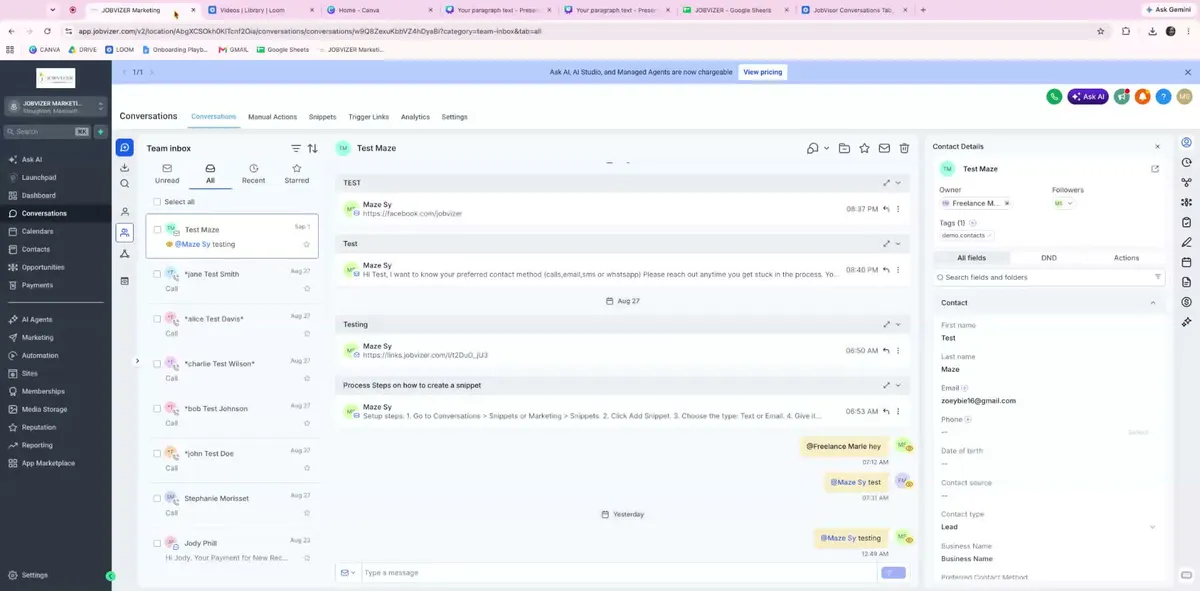
This explains how to use the Conversations tab to view, filter, manage, and respond to customer interactions from one centralized inbox. It also covers related actions such as assigning tasks, adding notes, moving contacts through pipelines, and using communication tools efficiently.
1. Key Steps
Open the Conversations tab to access the central hub for all customer communication.
Use this inbox to manage messages from:
Text messages
Emails
Facebook DMs
Instagram messages
Phone calls
Treat this tab as the single location for all customer interaction history and active communication.
2. Review inbox and apply filters
Look at the left-side inbox panel when the Conversations tab opens.
Use the four default inbox groups to organize work:
Unread
All
Recents
Starred
Narrow down conversations using filters such as:
Channel
Last message channel
Last assigned user
Tags
Last message direction
Use filters to quickly find the right conversation without manually searching the full inbox.
3. Open Conversation & message thread
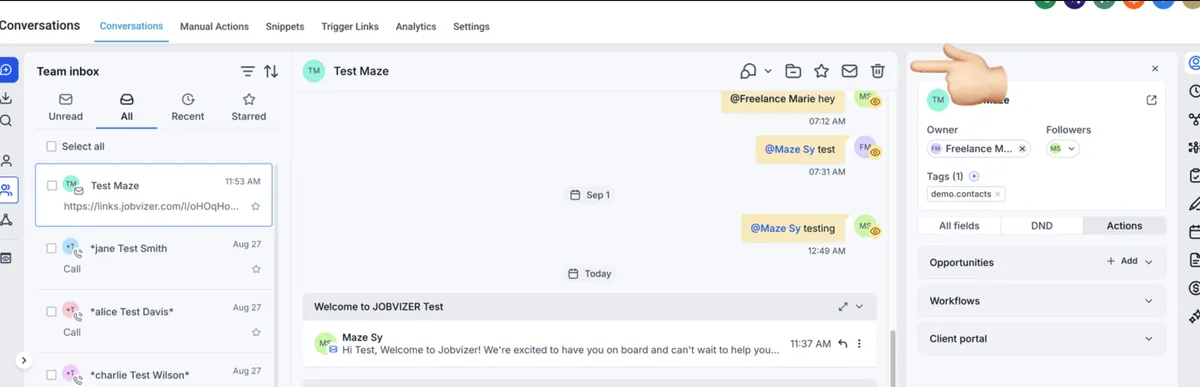
> Click any conversation to open it in the center panel.
> Review the full thread to see all messages exchanged across channels.
> Confirm the conversation is displayed in chronological order.
> Use the thread history to understand the customer’s context before replying.
4. Manage Conversations Status
> Check the top of the conversation for the contact name.
> Use the available controls to manage the conversation:
> Mark as Unread when follow-up is needed
> Delete the conversation when appropriate
> Verify the correct contact is open before taking any action.
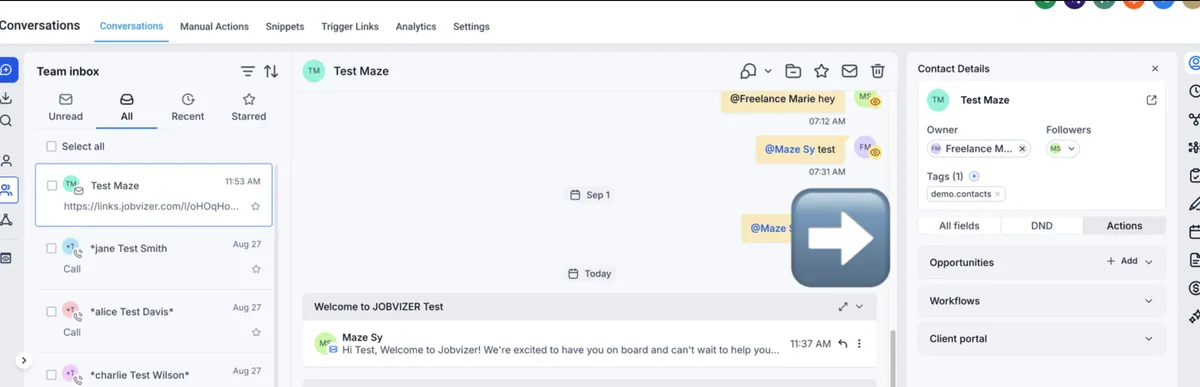
5. Use the right-side panel for contact actions and shortcuts
Review the right-side panel for quick access to major contact tools.
Use this area to:
View contact details
Set DND options
Move the customer into a pipeline
Move the customer into a workflow
Use these actions to keep the contact record organized and updated.
6. Use the shortcut icons on the right side to access key functions:
Activity/History: Review the customer’s full CRM history from the first day they entered the system
Tasks: Assign or create tasks
Notes: Add internal notes for team reference
Appointments: Schedule a meeting or call
Documents: Upload files related to the contact
Payments: Charge the customer, create an invoice, or add a card on file
Use these tools to keep all customer-related work in one place.
7. Follow this Messaging Rules at all times
The Conversation tab is intended to be the primary entry point for all customer communication history and active replies.
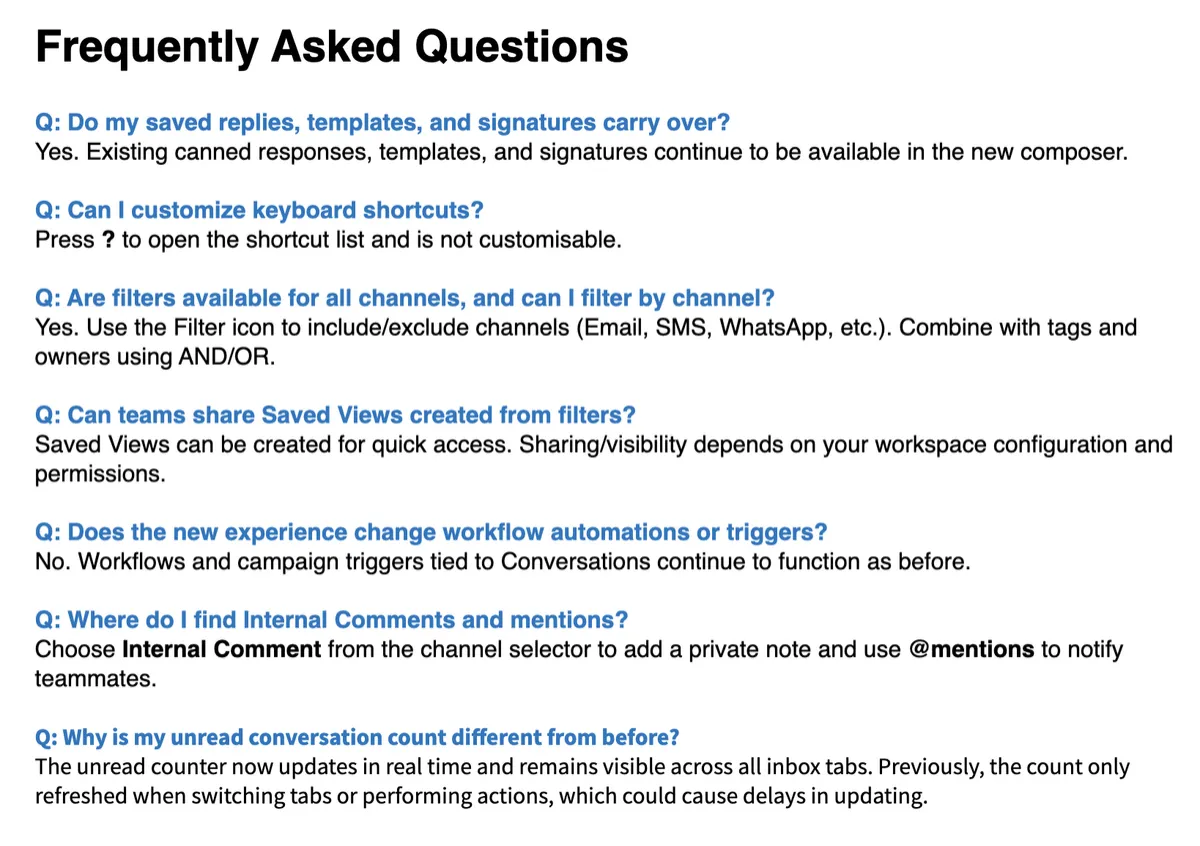
Channel availability in the composer is determined by the contact record (for example, presence of a phone number).
Deleting a conversation is irreversible and removes the full conversation record rather than a single message thread.
Existing CRM entities such as pipelines, workflows, tasks, notes, appointments, documents, and payments are already available for linking from the conversation sidebar.
Internal chat and calling are supported by existing platform capabilities and are being surfaced in this UI.
JOBVIZER MARKETING SUPPORT PORTAL© 2026ALL RIGHTS RESERVED