JOBVIZER CRM TUTORIAL
DOMAINS
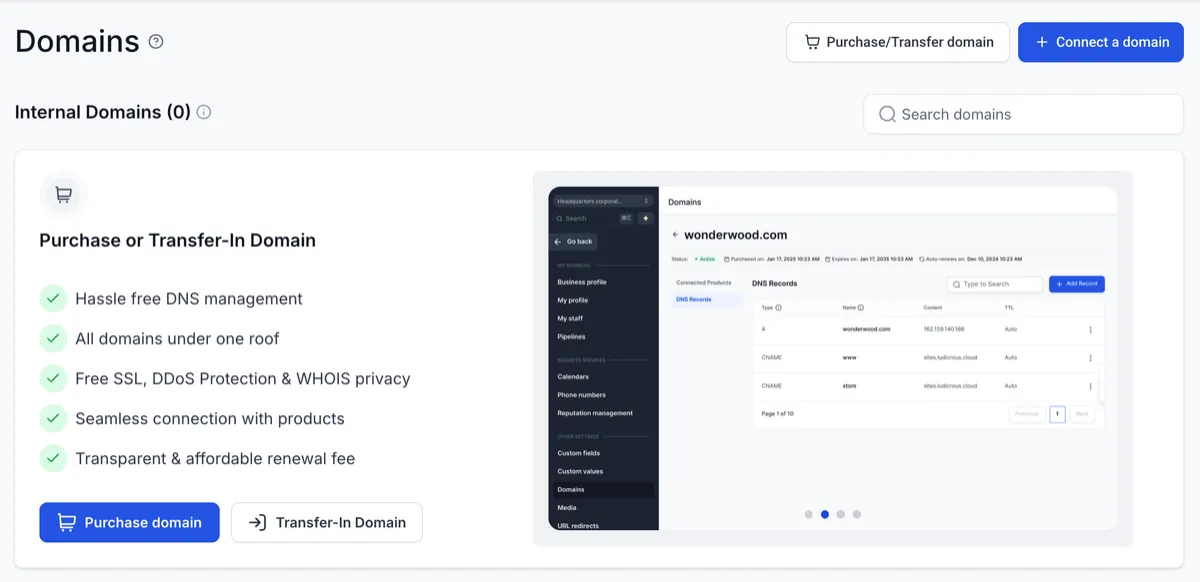
What is a Domain?
A domain serves as the digital address for online services like websites, email hosting, and more, by mapping them to IP addresses through DNS. Domain names are essential for your online presence, enhancing website accessibility and enabling email communication.
Domains are crucial for website hosting, white-label branding, configuring branded/API domains, email setup, and the Client portal. They form the foundation upon which JOBVIZER users build their digital presence.
What are Root & Sub-Domains
When working with domains, it's important to distinguish between a root domain and a subdomain.
Root Domain (Example: “mywebsite.com”)
The root domain is the primary address of your website, appearing after "www." in a URL (e.g., in "www.mywebsite.com," the root domain is "mywebsite.com"). It serves as the main entry point to your website.
Subdomain (Example: "help.domain.com")
Subdomains are extensions of your root domain, directing users to specific sections or areas within your online infrastructure (e.g., "help.domain.com" for support). This allows for separate content, landing pages, and marketing campaigns without affecting the primary site. This setup is useful for ads, promotions, and utilizing different SEO strategies.
IMPORTANT NOTE: Be careful when adding root domains. Many users accidentally break their existing mailbox or site by adding a root domain already in use. We recommend adding a sub-domain if your root domain is used somewhere else.
Email Sending Domain
To maximize email marketing impact, prioritize sender reputation and deliverability.
A dedicated sending domain in the LC Email system gives you control over email communications, enhancing brand credibility and reducing spam filter risks.
This setup is ideal for customized notification emails and targeting specific categories, ensuring efficient delivery.
To avoid conflicts with existing email services, configure your dedicated domain using a subdomain.
Dedicated sending domains are key to maintaining a positive sender reputation and achieving effective email marketing with LC Email.
A Dedicated Sending Domain authenticates the domain used to send email through LC Email.
Using a dedicated sending domain separates email authentication from domains used for Websites, Funnels, Client Portal, or other JOBVIZER products. Configure a sending domain from:
Settings → Email Services → Dedicated Domain and IP → Add Domain JOBVIZER generates the DNS records required for the sending domain.
Add the displayed records at your DNS provider, then return to JOBVIZER to verify the configuration.
Always use the DNS values generated for your domain rather than copying records from another domain or an older configuration.
JOBVIZER MARKETING SUPPORT PORTAL© 2026ALL RIGHTS RESERVED