PAYMENT SETTINGS
JOBVIZER CRM VIDEO TUTORIAL
This section covers the remaining payment settings beyond the main payment configuration flow. It includes options for receipts, taxes, notifications, shipping, subscriptions, miscellaneous charges, and payment link customization. Together, these settings control how payments are presented, processed, and communicated to customers and internal teams.
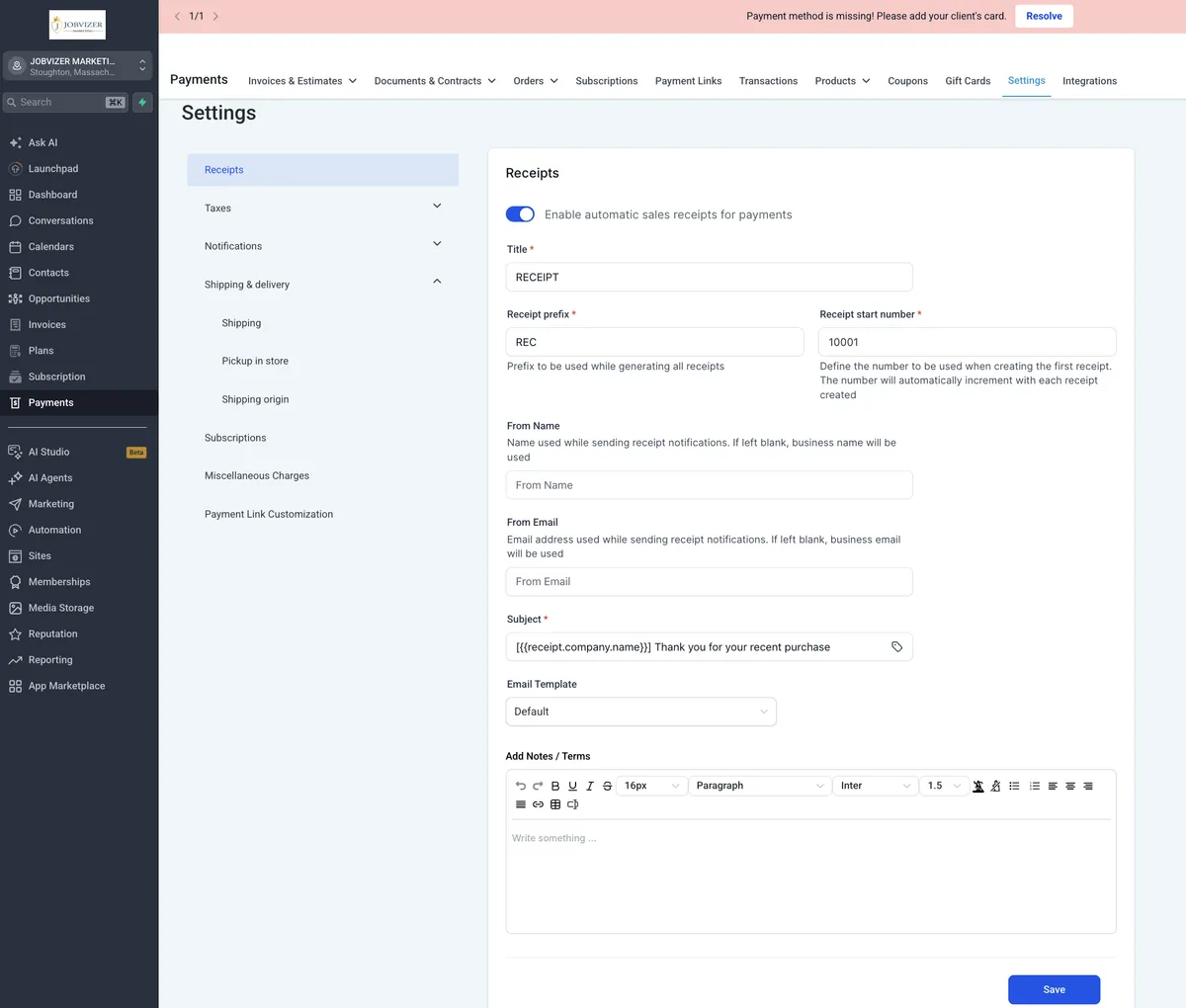
RECEIPTS
Controls what customers receive after completing a purchase.
Customize the receipt template with:
Business logo
Custom thank-you message
Next-step instructions
Choose how receipts are sent:
Automatically
By email
By SMS
By both email and SMS
Optionally include order or line-item details on the receipt, which affects:
Item details
Tax breakdown
Payment method display
A branded receipt improves the post-purchase experience and helps the checkout feel complete.
TAXES
Controls how taxes are calculated and applied at checkout.
Configure tax rates by region or jurisdiction, such as:
State
Province
County
Choose whether tax is included in prices or added separately.
Support multiple tax rates for businesses operating across regions.
Tax can be applied automatically based on the customer’s location or business address, or disabled entirely.
Verify tax settings against actual obligations before going live to avoid disputes and accounting issues.
NOTIFICATIONS
Split into customer notifications and team notifications.
Customer notifications cover events such as:
Order confirmation
Payment received
Invoice sent
Subscription renewal
Refund issued
Team notifications cover internal alerts such as:
New order
Failed payment
Refund request
Subscription cancellation
Notifications can typically be toggled on or off and configured by channel, such as email or SMS.
Correct notification setup reduces manual follow-up and helps prevent missed payment issues.
SHIPPING
Defines shipping rates and rules for physical products.
Common shipping options include:
Flat rate
Weight-based rate
Free shipping threshold
Shipping rules can vary by eligible region.
Local pickup can be enabled as an alternative to shipping for businesses that serve nearby customers.
Set the shipping origin address correctly before configuring rates, since it affects shipping calculations and delivery estimates.
Test shipping settings as a customer before launch to catch origin or zone issues early.
SUBSCRIPTIONS
Manages recurring billing settings at the account level.
Separate from product-level subscription setup.
Includes retry behavior for failed subscription payments, such as:
Number of retry attempts
Time between attempts
Supports dunning and reminder messaging for failed or expiring payment methods.
Also includes global subscription cancellation rules and behavior.
Miscellaneous Charges
Lets you configure additional charges outside standard product pricing.
Useful for items such as:
Service fees
Rush charges
Other extra line items on an order or invoice
Helps capture costs that do not belong in the base product or service price.
PAYMENT LINK CUSTOMIZATION
Controls the branding and behavior of the hosted checkout page generated by payment links.
Customize the page with:
Logo
Brand colors
Custom thank-you message
Optional checkout elements include:
Terms and conditions display
Consent checkbox
Payment links are often a customer’s first branded checkout experience, so this is worth customizing instead of leaving defaults in place.
Cautionary Notes
Do not leave default settings in place for taxes, shipping, or checkout branding without reviewing them first.
Incorrect or missing tax configuration can cause checkout disputes and accounting issues.
Make sure the shipping origin is correct before setting shipping rates, or shipping costs may calculate incorrectly.
Verify zone coverage for shipping to avoid customers seeing invalid or inaccurate delivery options.
Ensure failed payment notifications are enabled for the internal team so subscription issues do not go unnoticed.
Test the checkout flow as a customer before launch to confirm receipts, taxes, shipping, and payment links behave correctly.
JOBVIZER MARKETING SUPPORT PORTAL© 2026ALL RIGHTS RESERVED